Using a Phone Light Meter App to Check Grow Lights
The short answer
A light meter app for plants uses your phone’s light sensor to estimate how much light reaches a spot. It works for comparing spots and catching changes. Still, it is only an estimate and not a lab reading.
Use the same phone, the same app and the same setup every time. Then the numbers become a useful guide for hanging your light, finding dim corners and checking that a new setup matches the old one.
How these apps work
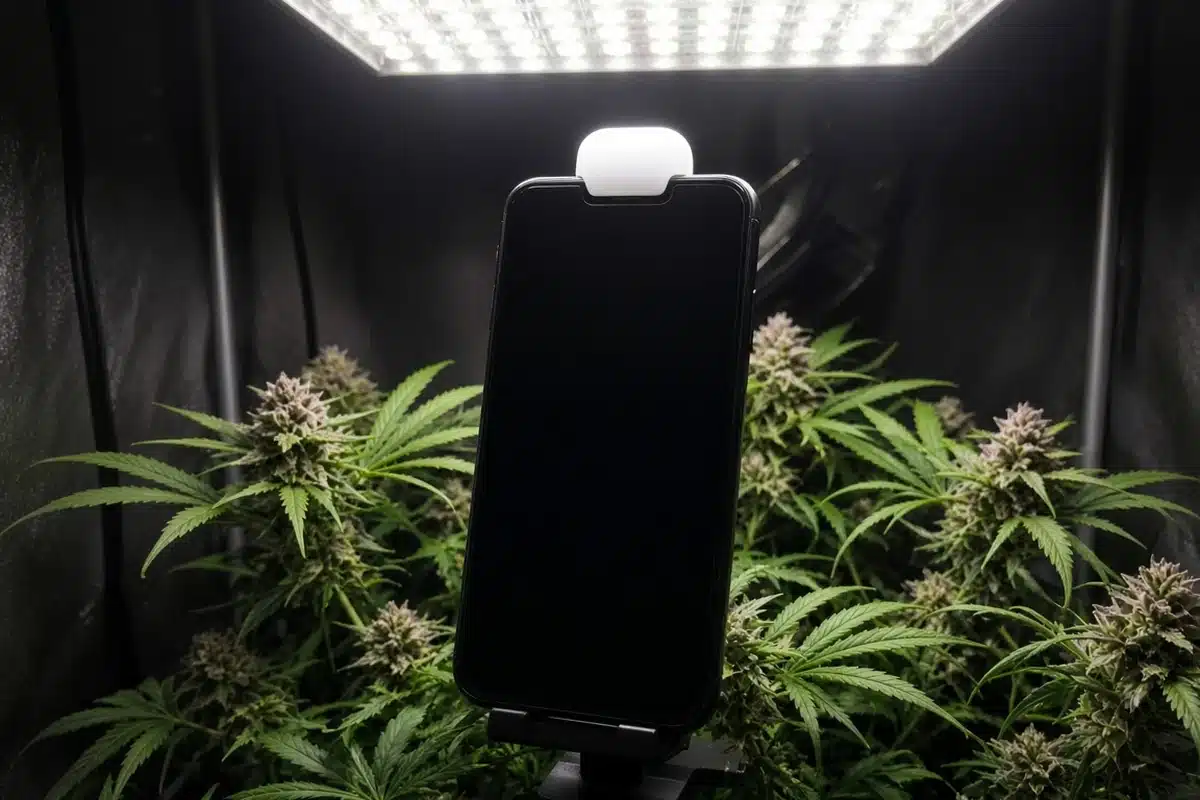
Your phone has a small sensor that reads brightness so the screen can dim and brighten. These apps read that sensor and turn the number into units growers use.
The University of New Hampshire Extension covers these apps in Optimizing Plant Growth with Indoor Lighting Q&A. It explains that they use the phone’s light sensor and convert the reading to PAR based on the lamp type you pick. Its view is that they seem pretty good for home use.
That conversion is why the app asks you to choose a light type. A white LED, a warm LED and sunlight have different mixes of color. The app uses a different factor for each.
What the apps can and cannot do
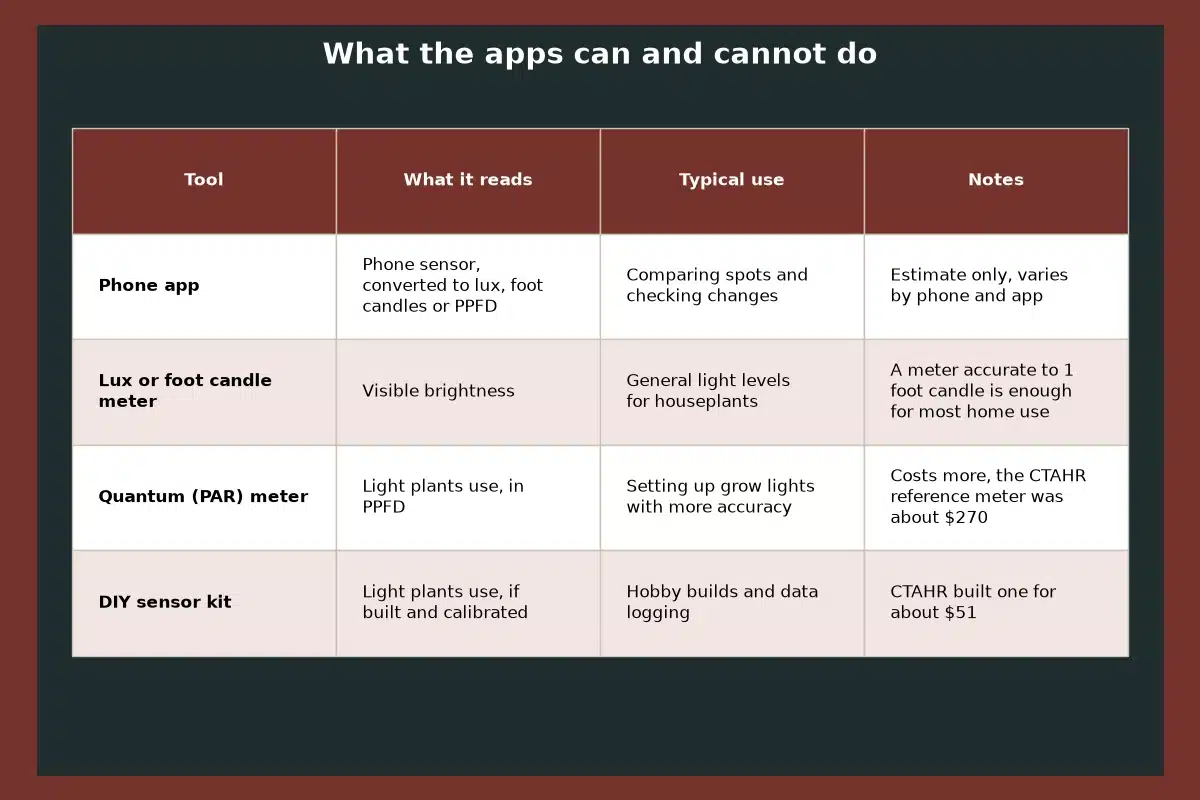
The University of Florida IFAS guide on houseplant light, cited under the table, says phone apps are usually accurate enough to show a change in light levels but should only be used for approximations.
A study from the University of Hawaii CTAHR compared two phone apps with a reference quantum meter. Its paper is listed under Sources. Under full spectrum LEDs, the apps were off by about 27 and 47 µmol on average. An outside calibration cut the errors, but the apps gave users no way to enter it.
| Tool | What it reads | Typical use | Notes |
|---|---|---|---|
| Phone app | Phone sensor, converted to lux, foot candles or PPFD | Comparing spots and checking changes | Estimate only, varies by phone and app |
| Lux or foot candle meter | Visible brightness | General light levels for houseplants | A meter accurate to 1 foot candle is enough for most home use |
| Quantum (PAR) meter | Light plants use, in PPFD | Setting up grow lights with more accuracy | Costs more, the CTAHR reference meter was about $270 |
| DIY sensor kit | Light plants use, if built and calibrated | Hobby builds and data logging | CTAHR built one for about $51 |
Source: Light for Houseplants, University of Florida IFAS Extension, app and meter accuracy guidance. Meter costs and the DIY sensor figure come from the University of Hawaii CTAHR study listed under Sources.
Units in plain words
Lux and foot candles measure how bright light looks to people. One foot candle is about 10.8 lux. The University of Maryland Extension guide to Lighting for Indoor Plants describes high light for houseplants as about 500 to 1,000 foot candles and direct sun as over 1,000.
PPFD counts the light plants use for growth each second. It is measured in µmol per square meter. Grow light makers often list it.
DLI is the daily total. You can work it out from PPFD and hours. Multiply PPFD by hours of light, then by 3,600, and divide by 1,000,000. Some apps do this for you. Our guide to understanding DLI for autoflowers explains how growers use it.
For the target numbers themselves, see our guide to the best PAR for cannabis. Here the focus is on taking the reading.
Getting steadier readings
Small shifts in how you hold the phone can swing the number a lot. These habits help.
Point the sensor at the light. The sensor sits on the front of most phones, near the top camera. At canopy height, lay the phone flat with the screen up.
Pick the right light type. Choose the setting that matches your lamp. A wrong setting skews every reading.
Hold still and wait. The CTAHR study found the apps only update after a big change in light. Cover the sensor for a second or move the phone away and back to get a fresh value.
Keep your body out of the way. Your arm and head can shade the sensor. Reach in from the side.
Use the same phone. Different phones have different sensors. Compare numbers taken on one phone only.
If the phone case covers the top edge, take it off. A thick case can shade part of the sensor.
Keeping a light log
Readings mean more when you can compare them with last week. Keep a simple log in a notebook or on your phone.
Write down the date, the light height, the dimmer setting and the readings at the center and corners. Add a short note on how the plants look too. Over a few weeks, you will see which settings match healthy growth in your space.
Take a fresh set of readings whenever you change something, such as a new light, a new height or a new tent. The CTAHR study also found that a single point calibration in one app did not improve accuracy across the full range. So consistency matters more than tweaking settings.
Distance changes everything
As you move away from the fixture, light falls off fast. The UNH guide notes that distance has a major effect on intensity. Even a few inches can show a big change on the app.
That makes the app handy for one job. It helps you find the right hang height. Take readings at the center and corners at one height, then raise or lower the light and repeat. You will see how even the spread is and how much you gain by moving the light.
How to map your grow space in seven steps
- Turn on the grow light and let it warm up for a few minutes.
- Open the app and pick the setting that matches your light type.
- Lay the phone flat, screen up, at the top of the canopy in the center.
- Wait for the reading to settle, then write it down.
- Repeat at each corner and along each edge.
- Raise or lower the light, then take the same readings again.
- Keep the setting where the center and corners are closest and the plants look healthy.
Troubleshooting
The reading will not change. The app only updates after a big change in light. Cover the sensor briefly or move the phone away and back.
Numbers jump around. You may be shading the sensor or tilting the phone. Rest it on a flat object and reach in from the side.
Readings do not match the light maker’s chart. That is common. Apps are estimates and charts are often measured at set distances in ideal conditions. Use the app to compare spots, not to check a spec sheet.
Two phones give different numbers. Each sensor differs. Stick with one phone for all readings.
Plants show stress even though the app looks fine. Trust the plants. Bleached tops suggest too much light, and stretching suggests too little. Our guide to the cannabis seedling light schedule covers gentle settings for young plants.
When to upgrade to a real meter
If you grow often or run more than one light, a quantum meter may be worth it. It reads the light plants use directly and gives numbers you can compare with published targets.
For most home growers, though, a phone app used the same way every time is a fine place to start. At Kind Seed Co, we suggest treating the app as a guide for comparisons and letting plant response have the final say.
Sources
- University of New Hampshire Extension, Optimizing Plant Growth with Indoor Lighting Q&A
- University of Florida IFAS Extension, Light for Houseplants
- University of Maryland Extension, Lighting for Indoor Plants
- University of Hawaii CTAHR, Low Cost Light Sensors for Indoor Agriculture (FST 68)
FAQ
Are light meter apps accurate for plants?
They are estimates. Florida extension experts say they are good for showing changes but should only be used for approximations.
Can a phone app measure PAR?
It estimates PAR by converting the phone sensor reading based on the light type you choose.
Why does my app reading not change?
Some apps only update after a big change in light. Cover the sensor briefly or move the phone and try again.
Do I need a quantum meter?
Not to start. A phone app used the same way every time works for comparing spots. A quantum meter gives more exact readings.
How do I work out DLI from an app reading?
Multiply PPFD by hours of light, then by 3,600, and divide by 1,000,000. Some apps do this for you.